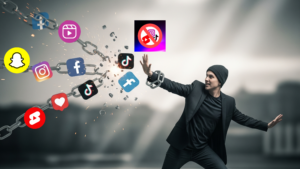


Have you ever tried to stop doomscrolling on Android and failed? not because you lacked willpower, but because the social media apps you love are built to make you scroll for centuries, then, this post is for you.
Before we begin, I would like to thank all of you for downloading NoScroll over 1.5 million times. I’m proud of that number. But I’ve also read the reviews, the emails, and the Reddit threads. I learned and understood exactly where v1 was letting people down.
Version 2.0.0 fixes that. Every major change in this release exists because real users asked for it. Here’s couple of things that’s new.
What was broken in v1? (and why v2 fixes it)
The most common complaint about NoScroll v1 was simple: the block would silently stop working after a few hours. You’d set it up, feel good about it, and then find yourself 45 minutes deep into Shorts without any resistance from the app.
The root cause was the accessibility service, the engine that detects and blocks short-form video content. It was reliable on most devices, most of the time. Not good enough.
In v2, the accessibility service has been completely rewritten from scratch. Not patched. Rebuilt. The result is dramatically better reliability, lower battery usage, and consistent performance across all supported devices.
What’s new in NoScroll 2.0.0
🔧 Rebuilt accessibility service — The core engine is completely rewritten. More reliable, significantly less battery drain, no more silent stops.
📊 Stats dashboard — See your Blocks Count for the day, number of Scrolling Sessions, and Average + Total Duration spent on distracting content. The data alone changes behavior.
🔒 App PIN Lock — Lock NoScroll settings and the most distracting apps behind a PIN so you can’t disable it in a moment of weakness. Closes the biggest loophole in every blocking app.
⏸ New pause restrictions — The old pause system was too easy to exploit. v2 adds real guardrails — the block actually holds now.
🎨 Complete UI revamp — Everything redesigned from scratch. Faster, cleaner, and far easier to set up.
➕ 15+ additional features — More to be revealed at stable launch.
Why this matters if you’ve struggled with doomscrolling
Doomscrolling on YouTube Shorts and Instagram Reels isn’t a character flaw. It’s a design problem. These platforms are engineered by teams of hundreds to capture and hold your attention. The only real counter is friction — and that friction needs to be reliable.
The stats dashboard in v2 is particularly important here. When you can see “NoScroll blocked 63 attempts today,” you’re no longer fighting an abstract urge. You’re looking at a number. That number builds self-awareness in a way that willpower alone never does.
The PIN Lock matters for the same reason. The moment you’re about to disable a blocking app is precisely the moment your prefrontal cortex has already lost to your impulse brain. A PIN creates enough pause to short-circuit that loop.
⚠️ Important: One step back before the big jump
Because NoScroll 2.0 is a complete rewrite, Android treats the new accessibility service as brand-new. When you update from v1, you will need to re-grant the accessibility permission once. It takes about 15 seconds and the app guides you through it automatically. Think of it as resetting the foundation — a small one-time step that unlocks everything that’s better in v2.
How to get NoScroll 2.0 right now (Public Beta)
NoScroll 2.0.0 is currently available as a public beta on the Google Play Store. The stable release is coming soon, but if you want early access today:
1. Open NoScroll on the Play Store
2. Scroll down to the “Join the beta” section
3. Tap Join — the updated build installs automatically
If you’d prefer to wait for the stable release, that’s completely fine — it’s not far off. Either way, v2 is coming to every NoScroll user soon.
Frequently asked questions
Does NoScroll 2.0 still block YouTube Shorts and Instagram Reels?
Yes — NoScroll blocks short-form video content across 15+ platforms including YouTube Shorts, Instagram Reels, Facebook Reels, TikTok, Snapchat Spotlight, and more.
Is NoScroll 2.0 free?
NoScroll has a free version with core blocking features including YouTube Shorts, Instagram Reels, Snapchat spotlights and many more. Premium features are available via subscription or one time lifetime purchase. The beta is free to join.
Will my settings carry over from v1 to v2?
Some of your settings will carry over, the features which are completely re-written and restructured cannot be migrated automatically. Additionally you are required to re-granting the accessibility service permission once after updating.
Why does NoScroll need accessibility permission?
Accessibility permission is how NoScroll detects when you’ve opened a Reels or Shorts feed and triggers the block. NoScroll does not collect, store, or transmit any personal data — the permission is used exclusively for blocking. Your privacy is fully protected.
NoScroll 2.0.0 — Built on your feedback. Available in public beta now.
Questions or feedback? Reach us at [email protected] or leave a review on the Play Store.
— Pritam, Founder @ Curizic Technologies